

Open any Performance Max asset group and there is a little label sitting above the creative grid: Incomplete, Poor, Average, Good, or Excellent. Most accounts stall at Average. Not because the headlines are bad or the budget is wrong. Because the photo folder has four images that are really the same image, cropped four different ways.
Google scores PMax on breadth and depth. Breadth means every asset type is filled in. Depth means there is real variety inside each type, not a single hero shot stretched across three aspect ratios. The second part is where most advertisers quietly fail, and it is also the part a single product photo shoot can fix in an afternoon.
What Ad Strength Is Actually Measuring
Google's own Ad Strength documentation lays out five tiers for a Performance Max asset group. Incomplete means the group is missing required assets and will not serve at all. Poor means it has the bare minimum and will not reach every placement. Average means every asset type is present but lacks variety. Good means there is real breadth and depth. Excellent means the group has every asset type including optional ones, full text diversification across all 15 headline and 5 description slots, and genuine asset variety, including the advertiser's own uploaded video rather than Google's auto-generated version (Google Ads Help, "About Performance Max Ad Strength," 2026).
Google also publishes a number worth repeating to anyone who thinks Ad Strength is a vanity metric: accounts that move an asset group from any lower tier to Excellent see, on average, 6% more conversions (Google Ads Help, "About Performance Max Ad Strength," 2026).
The asset group that gets stuck is almost always missing the same thing: image variety. Google's own image asset guidance recommends at least 4 landscape images (1.91:1), 4 square images (1:1), and 2 portrait images (4:5) per asset group, pulled from genuinely different creative concepts, not one photo resized three ways (Google Ads Help, "About image assets for Performance Max campaigns," 2026). The guidance is explicit that content needs to sit inside the center 80% of the frame for every ratio, since Google crops differently per placement, and that at least one image per ratio should carry no text or logo overlay so Display and Discover inventory has clean creative to work with.
Why Most Accounts Never Clear That Bar
Shooting one usable product photo is already a project. Shooting ten distinct, on-brand compositions across three different crops, plus a logo variant, plus at least one clean no-overlay version per ratio, is a different kind of project entirely. Most teams either outsource a single photoshoot and call it done, or they crop one hero shot in Canva and upload the same framing three times. Google's scoring sees straight through that. Three crops of one photo register as one idea, not three.
If you've already set up a Performance Max campaign and want the mechanics of the setup itself, Google's own flow is covered step by step in this PMax setup guide. The variety gap below is what happens after that setup is done and the asset group still won't move past Average.
This is the gap between a campaign that technically launches and one that reaches every PMax surface, Search, Display, YouTube, Gmail, Discover, and Maps, with creative strong enough to earn placement.
One Photo In, A Full Asset Group Out
Ad Studio's generate_image_templates tool takes a single product photo and generates a new ad composition in a specific aspect ratio, not just a crop of the source. Firing it once per ratio with the same product but a different prompt angle (a clean studio shot for square, a lifestyle scene for landscape, a close detail crop for portrait) produces genuinely distinct images for each PMax ratio bucket instead of three versions of one frame.
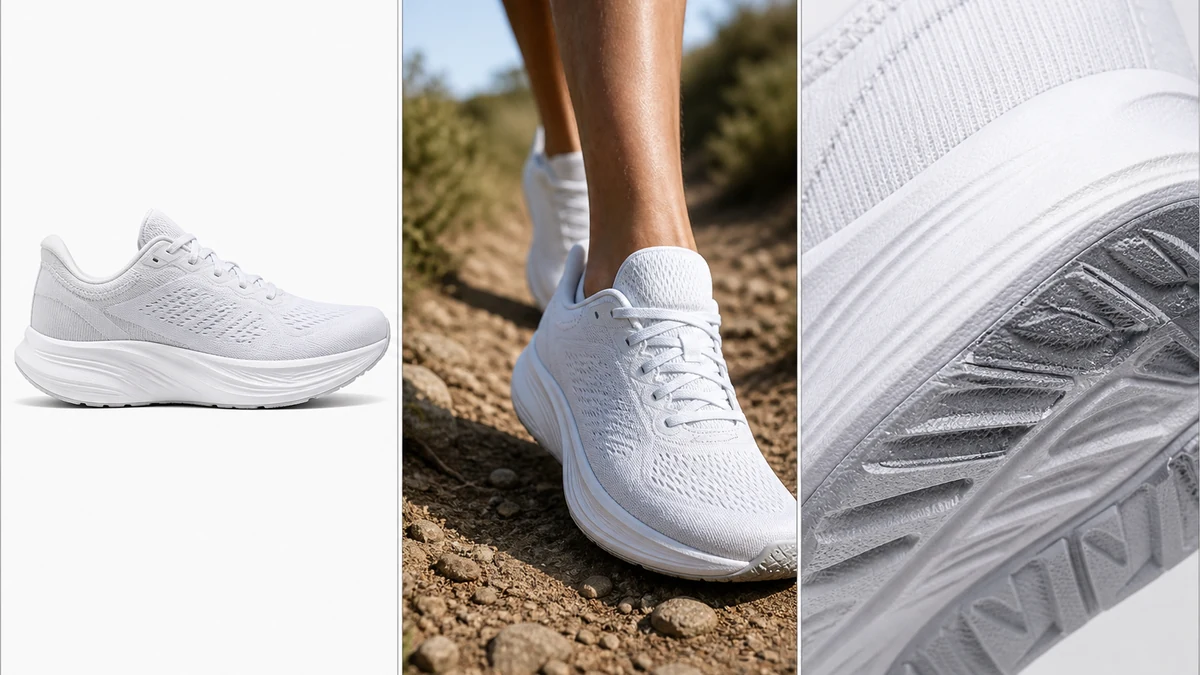
Note on this image: mcp.coinis.dev's generation access was down at drafting time, so the three-panel comparison above was produced as an illustrative stand-in rather than a live generate_image_templates call. The tool itself is real and demonstrated with a working render in this one-photo, every-ad-size walkthrough.
Here is the workflow for building toward Excellent without a reshoot:
- Start with one real product photo. Clean background, good lighting, product centered.
- Fire
generate_image_templatesthree times, once per PMax ratio, each with a different creative angle: a plain studio composition for the square 1:1 slot, a lifestyle or in-context scene for the landscape 1.91:1 slot, and a tight detail crop for the portrait 4:5 slot. The tool generates a new composition per call rather than a resize of the same output, which is what Google's variety requirement is actually checking for. - Repeat the three-call pass with one or two more creative angles to clear Google's recommended 4+ landscape / 4+ square / 2+ portrait counts, not just the required minimum.
- Leave at least one image per ratio with zero text or logo overlay, per Google's own guidance, so Display and Discover placements have clean creative.
- Upload the full set into the asset group alongside a logo image (square, 1200x1200 recommended) and check Ad Strength again. Google says to wait two to three weeks before judging real performance, but the tier itself updates immediately.
None of this replaces writing good headlines or filling every description slot. It solves the one part of Ad Strength that a copywriter cannot fix: genuine image variety without commissioning a new shoot every time a campaign needs refreshing. The same generate-then-fan-out approach also works for keeping an asset group fresh over time, the way this ad-variation workflow handles creative refresh once the original set starts to fatigue.
What To Do Before Your Next PMax Launch
Check your current asset groups for the Average tier specifically. That tier means every slot is filled but nothing stands out as distinct. Pull up the image assets in each one and count how many are actually different compositions versus different crops of the same shot. If the answer is "one photo, three sizes," that is the fix: generate new compositions per ratio from the product photo you already have, rather than resizing the one you've got.
FAQ
Does Ad Strength directly affect ranking or cost? Google states explicitly that Ad Strength changes do not directly cause a change in campaign results, but the company has found a correlation between higher Ad Strength and better performance, reporting a 6% average conversion lift when an asset group reaches Excellent (Google Ads Help, 2026).
How many images does Performance Max actually require to serve at all? The hard minimum is one landscape and one square image. That is enough to launch but caps placement eligibility, which is why the Poor tier exists. Hitting the recommended counts (4+ landscape, 4+ square, 2+ portrait) is what unlocks broader eligibility and the higher tiers (Google Ads Help, "About image assets for Performance Max campaigns," 2026).
Does video actually matter for Ad Strength, or is it optional window dressing? Video is optional to serve, but Google will auto-generate a slideshow video from your images if you upload none, and reaching Excellent specifically requires your own uploaded video assets across horizontal, square, and vertical orientations rather than relying on the auto-generated version.
Can I reuse the same image across the landscape and square slots, just cropped? You can upload it, and the campaign will still serve. It will not help Ad Strength, since Google is scoring variety across compositions, not just confirming that every ratio slot is technically filled.
Is this only useful for brand-new campaigns? No. Existing asset groups stuck at Average benefit the same way: add genuinely new compositions in the ratios where the current set is thin, rather than launching a second campaign from scratch.
Build the Asset Group Google Actually Wants
A Performance Max campaign is judged on variety it can measure in seconds. One photo resized three ways reads as one idea no matter how good that photo is. Generate new compositions per ratio from a product photo you already have in Coinis Ad Studio, and go into your next launch with an asset group built for Good or Excellent instead of capped at Average.
Sources
- Google Ads Help, "About Performance Max Ad Strength," 2026: https://support.google.com/google-ads/answer/14143250
- Google Ads Help, "About image assets for Performance Max campaigns," 2026: https://support.google.com/google-ads/answer/14530211

Isidora Matovic
Author
Social media enthusiast and a full time researcher. She takes digital presence very seriously and that is why you are always in touch in what is going on with us! Follow us for more posts like this.